
- Click + New Group.
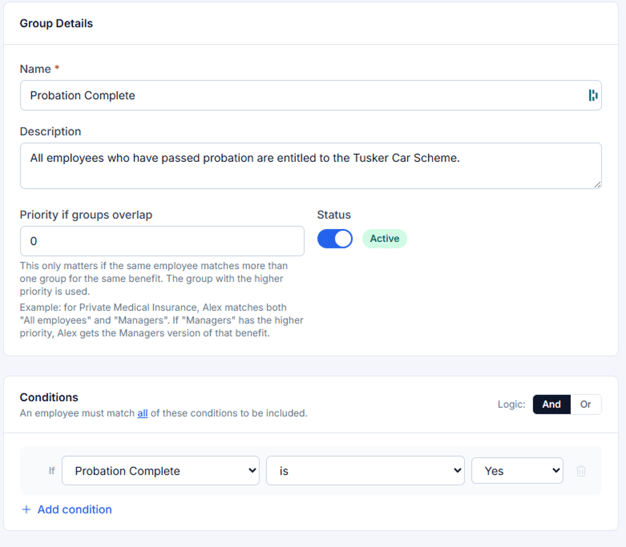
- Enter the Group Details, including the group name and description. Add a priority if needed.
- Add one or more Conditions to automatically include team members who match your criteria. For example, all employees who have passed probation.
- For each condition, select: A field, such as Department, Work Location or Contract Type.
- An operator, such as is or is not.
- A value to match against.
- Add more conditions if you need to refine who is included.
Next: Assigning Groups to Benefits →