
Go to Settings to manage your account preferences and branding.
Choose light or dark mode for your screen. Update your Employee Portal Name, Logos, Favicon and brand colours.
Then select Save Branding
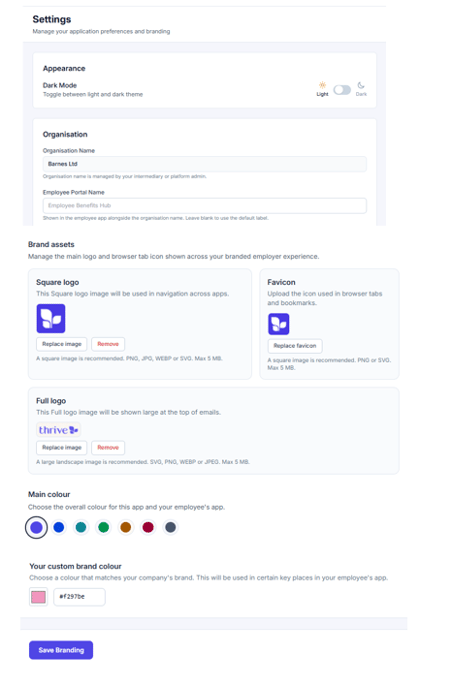
Go to Settings to manage your account preferences and branding.
Choose light or dark mode for your screen. Update your Employee Portal Name, Logos, Favicon and brand colours.
Then select Save Branding