
Need some help talking through your options? Book a free session with one of our qualified financial coaches.
Step 1: Sign in to your Thrive Pension App
Head to your Thrive Pension App and sign in using the details you set when creating your account.
Step 2: Head to Coaching
From the menu, tap Coaching to get started. Here you’ll see the financial coaches available to you. All our coaches are fully qualified and independent, giving you clear, personalised guidance that fits your life and goals.
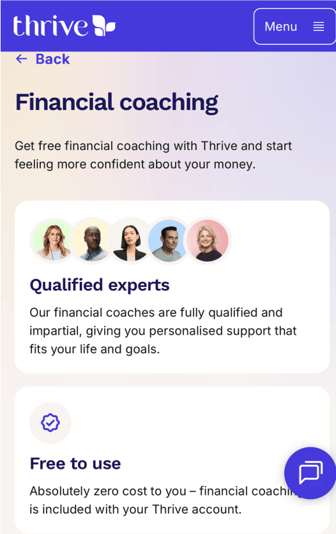
Step 3: Find your Coach
Tap ‘Book a Financial Coach’ to see who’s available. All our coaches are fully qualified and independent, so you’ll always get clear, personalised guidance.
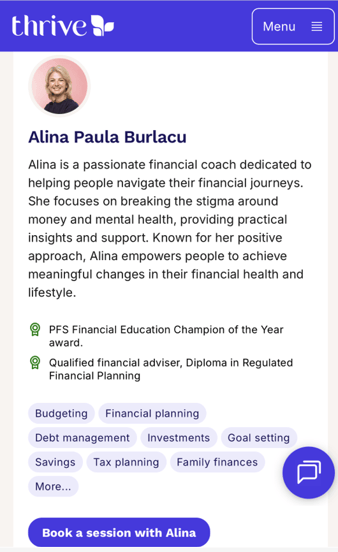
Step 4: Pick a slot
Choose your coach and tap ‘Book a session’. You’ll see a calendar with available dates and times.
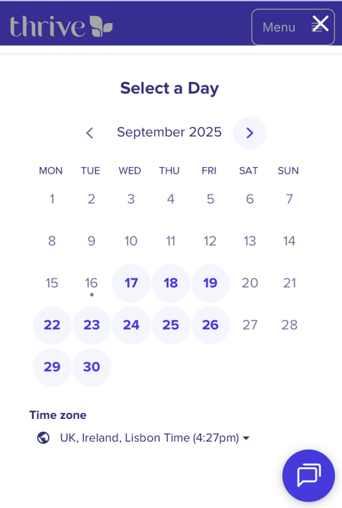
Step 5: Get booked in
Select the time that works best for you, then enter your email. You can also add a note to let your coach know what you’d like to cover.
Tip: Here's your opportunity to share anything that will help prepare for your meeting.
Step 6: You're all set
We’ll send you a confirmation email with your booking details. Don’t forget to pop it in your calendar.
Need to rearrange?
Life happens. If you need to cancel or move your session, just use the link in your confirmation email — quick and easy.