
Already set up your account? Here’s how to get back in.
1. Where do I sign in?
You can sign in at mythrive.co.uk or through the Thrive app on your phone.
2. What sign-in details do I need?
Just your email address and the password you created when you first set up your account.
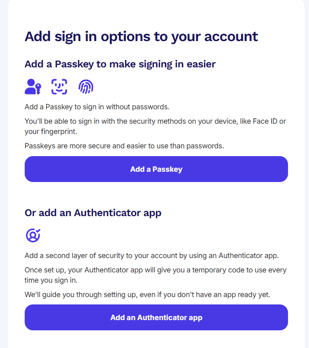
3. Add extra sign-in options
Once you've signed up, you can add a passkey or an authenticator app to your account. It makes logging in quicker and more secure, and only takes a minute. Not ready to set it up? Just hit skip for now. You can always add it later.
4. Can I use the Thrive app instead of the website?
Definitely. You’ll find it in the App Store or Google Play:
5. I forgot my password, what should I do?
No worries. On the sign-in screen, tap ‘Forgot password?’. We’ll send you a code to reset it. Just follow the prompts.
6. I’m having trouble signing in. Who can help?
If something’s not working, reach out to Thrive Customer Support. We’re here to help get you back in and feeling confident again.
Tip:
Once you’re signed in, you’ll have access to everything - your pension, benefits, financial tools and coaching. It’s all in one place and ready when you are.